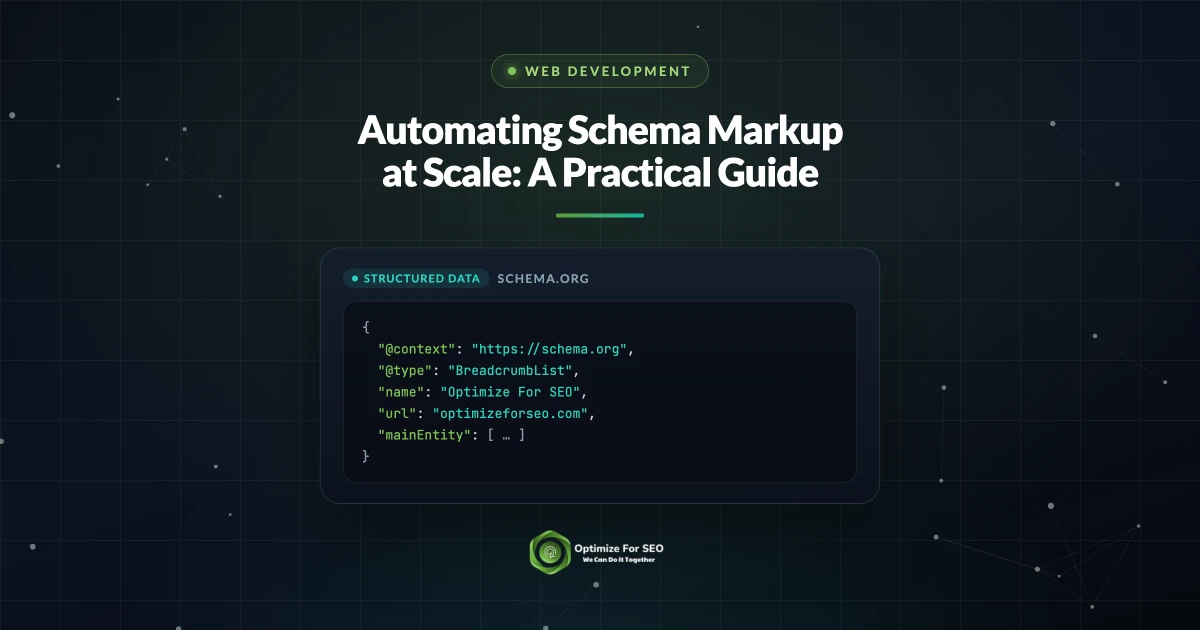
Hand-coding JSON-LD is fine for a homepage and a contact page. It falls apart the moment you have five hundred products, a growing blog, or a dozen location pages. Google itself recommends JSON-LD precisely because it is the easiest format to implement and maintain at scale, and yet most teams still write it by hand, page by page, until it drifts out of sync with the visible content and quietly breaks.
The fix is to stop treating schema as copy you author and start treating it as output your system generates. When JSON-LD is bound to the same fields that render your pages, every product, article, and location publishes with correct, consistent markup that stays correct when the content changes. This guide covers how to template structured data against your CMS, generate the right schema per content type, keep it in sync with what users see, and validate and monitor it in Search Console.
Key Takeaways
- Hand-written JSON-LD does not scale: it drifts from the visible content, duplicates effort, and breaks silently across large sites.
- Bind schema templates to the same CMS fields that render the page, so markup is generated, not authored, and updates itself when content changes.
- Generate the right type per template: Product, Article, BreadcrumbList, LocalBusiness, and Organization, with FAQPage where it still earns its place.
- Google requires structured data to match what users can see, so pull schema values from the same source as the on-page content, never a separate store.
- Validate JSON-LD in your build pipeline and monitor the Rich Results reports in Search Console to catch templating errors before and after they ship.
Why Hand-Coding Schema Breaks Down
Manual JSON-LD has three failure modes at scale. First, it duplicates work: every new page needs someone to write, paste, and proofread markup, which stops happening consistently once volume climbs. Second, it drifts. A price changes in the CMS but not in the schema, an author is renamed, a product sells out, and now your markup contradicts your page. Google's guidelines are explicit that structured data must not describe information absent from the page, so drift is not cosmetic, it is a policy violation that can cost you eligibility. Third, it fails silently: one missing bracket or wrong date format can invalidate a whole template, and without automated checks nobody notices until rich results slip. Scaling structured data is therefore an engineering problem, not a copywriting one: markup should be a byproduct of publishing, not something a person writes per page.
Bind JSON-LD Templates to Your CMS Fields
The core idea is one template per content type, populated from structured fields rather than free text. Instead of writing a Product schema for each item, you write a single Product template that reads name, price, currency, availability, SKU or GTIN, brand, and rating from the product record and emits valid JSON-LD. Every product inherits correct markup, and when a price updates in the database the schema follows, because both read the same source.
Map each schema property to a real field, and use sensible fallbacks when a field is empty rather than emitting null, which can invalidate the block. This is the kind of foundation a website development company that automates schema should build into the templating layer from the start, so structured data ships with every page by default instead of being bolted on later.
Generate the Right Schema per Content Type
Different templates call for different types, all defined in the schema.org vocabulary that Google reads. Map the highest-value ones like this:
- Product on product pages, with a nested Offer for price, currency, and availability, plus AggregateRating when you have real reviews.
- Article (or NewsArticle, BlogPosting) on editorial pages, with headline, author, datePublished, and dateModified from the post record.
- BreadcrumbList on any page in a hierarchy, generated from your URL or navigation tree so it is always accurate.
- LocalBusiness on location pages, with name, address, geo, hours, and phone, ideally sharing a source of truth with your Google Business Profile.
- Organization sitewide, defining your brand, logo, and social profiles once so answer engines have a consistent entity to anchor to.
FAQPage deserves a caveat. Google now limits FAQ rich results to authoritative government and health sites and deprecated the feature in 2026, so it no longer earns snippets for most businesses. It still helps AI answer engines parse a genuine question-and-answer block, so keep it where a page truly is an FAQ and drop it where it only existed to game a snippet. For a fuller map of which types matter, see the schema markup every website needs.
Keep Schema in Sync With Visible Content
The most important rule at scale is that markup must reflect what the user can see. Google's general structured data guidelines say plainly not to mark up content invisible to readers, and warn against using structured data to mislead. Binding schema to the same fields that render the page satisfies this by design, because there is one source of truth. Problems appear when the two diverge, like a hard-coded review count or a stale author name cached in the JSON.
Two habits prevent this: never invent template values that do not exist on the page, and never keep a separate schema store updated by hand. Both keep you inside Google's rules and stop AI answer engines from citing a fact about your business that is no longer true.
Validate in CI and Monitor in Search Console
Automated generation still needs automated checking, because a template bug multiplies across every page that uses it. In continuous integration, parse the JSON-LD from rendered pages and assert that it is valid JSON, that each type's required properties are present, and that key values match the page, so a broken template fails the build instead of shipping. Before a big release, run representative URLs through Google's Rich Results Test to confirm eligibility for the features you care about.
Monitoring takes over after deployment. The Rich Results reports in Search Console, under the Enhancements section, show how many valid and invalid items Google found by type and flag errors as they appear. Watch them weekly: a spike in invalid Product or Breadcrumb items almost always traces to a single templating or serving change you can fix at the source. Fold that into your technical SEO audit checklist so structured data is reviewed alongside crawlability and performance.
An Implementation Approach for Common Stacks
The pattern adapts to whatever you run. On WordPress, a schema plugin covers common types, but for custom post types and product data you are better templating JSON-LD in the theme so it reads real field values instead of guessing. On Shopify and other hosted platforms, extend the theme's Liquid to emit Product and Offer schema from the product object, and avoid stacking apps that inject conflicting markup. On a headless or custom stack, generate JSON-LD in the rendering layer from the same props the page renders, giving you one function per type and clean unit tests. If you are weighing that architecture, our comparison of headless vs traditional CMS for SEO covers the tradeoffs. Whatever the stack, the principles hold: one template per type, values from real fields, and validation in the pipeline.
Automating structured data is one of the highest-leverage technical projects a growing site can take on. Done well, it turns thousands of pages into clean, consistent, machine-readable signals that both Google and AI answer engines trust, without a human touching a line of JSON per page. If you want your templates built, validated, and monitored so schema scales with your content instead of breaking under it, talk to our team and we will map the work to your stack.
Read More
- The Schema Markup Every Business Website Needs
- The Technical SEO Audit Checklist for Growing Sites
- Headless vs Traditional CMS for SEO in 2026
- Structuring Content for AI Answer Engines
Frequently Asked Questions
What does it mean to automate schema markup?
It means generating JSON-LD from your content data instead of writing it by hand for each page. One template per content type reads real fields like price, author, or hours and emits valid markup automatically, so every page publishes correct structured data that updates when the content changes.
Which schema format should I use for a large site?
JSON-LD. Google recommends it as the easiest format to implement and maintain at scale because it lives in a single script block, is separated from your HTML, and is straightforward to template and validate programmatically.
Which structured data types matter most?
For most sites: Product with Offer on shop pages, Article on editorial content, BreadcrumbList on hierarchical pages, LocalBusiness on location pages, and one sitewide Organization block. Add FAQPage only where a page is genuinely a question-and-answer resource, since Google deprecated the FAQ rich result for most businesses.
Does my structured data have to match the visible page content?
Yes. Google's guidelines prohibit marking up information that is not visible to users and treat misleading markup as a violation. Pulling schema values from the same fields that render the page keeps the markup and the content from ever diverging.
How do I validate and monitor schema automatically?
Add a continuous integration step that parses the JSON-LD from rendered pages and checks that it is valid, that required properties exist, and that values match the page, so a broken template fails the build. After launch, watch the Rich Results reports in Search Console, under Enhancements, where a rise in invalid items usually points to one template change you fix once at the source.
Want this handled for you? Our website development company can help you build a fast, SEO-ready site that converts.
Aashirvad Kumar
Writes about SEO, digital marketing and growth at Optimize For SEO.